More from MSP Reboot: clientst0r · depl0y
Open source · Self-hosted · MIT License

Your UrBackup server.
Finally under control.

A proper web interface for the backup tool you already trust. Real-time dashboards, per-client storage caps, file browser with restore, and multi-target DR replication — all in one place.

St0r dashboard
01
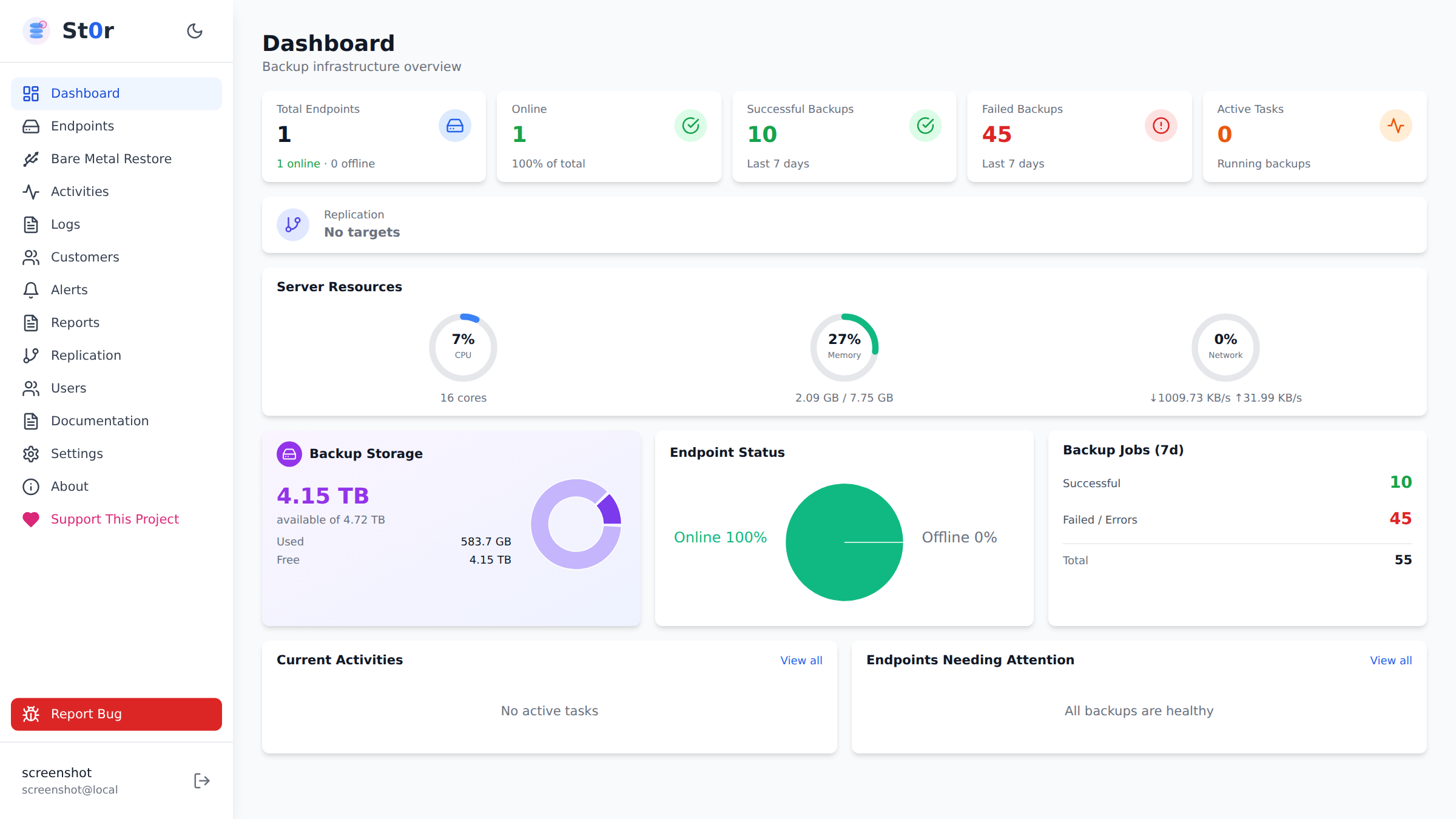
Real-time Dashboard
Client health, storage usage, active tasks, and replication status in one view.
02
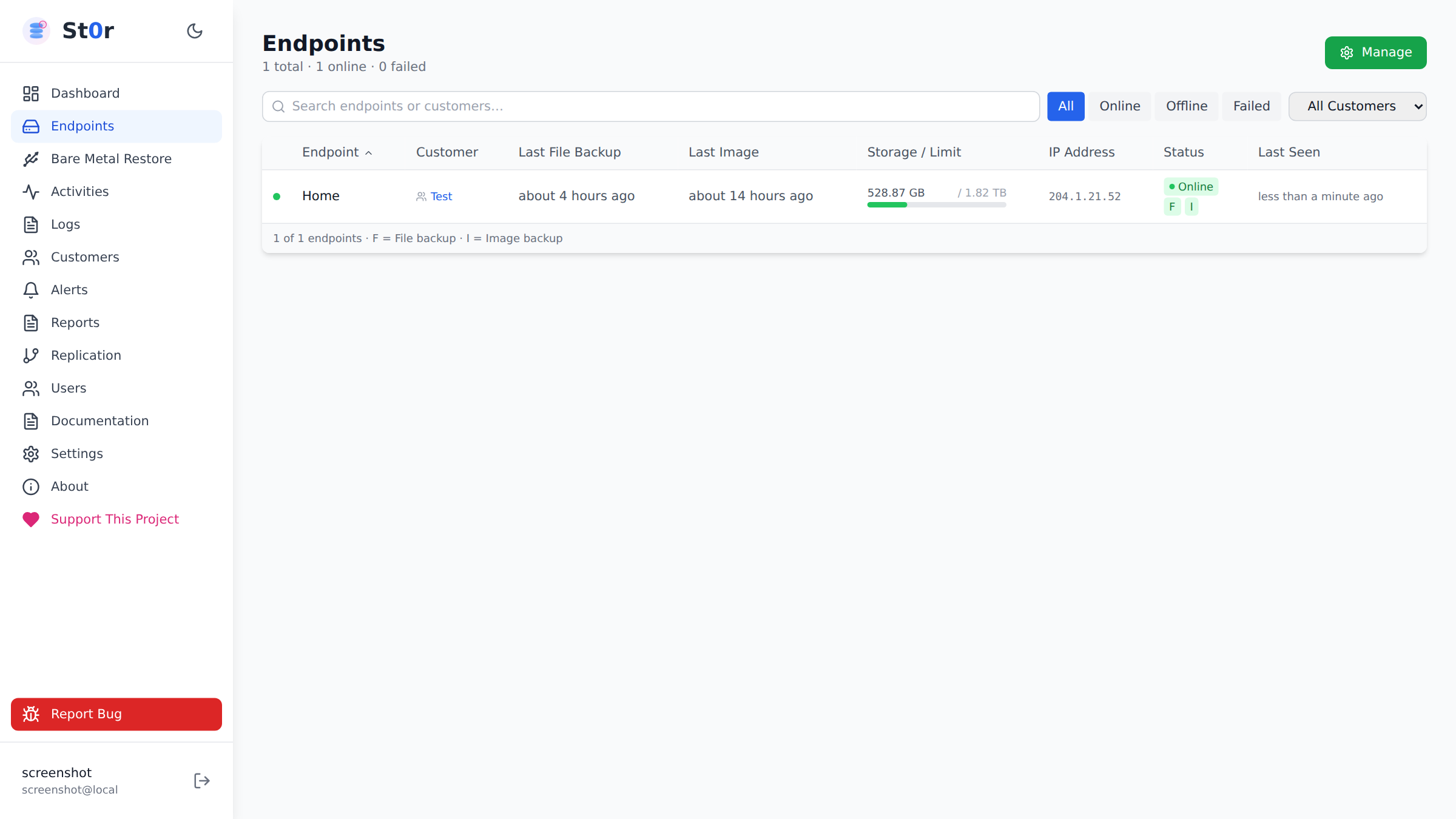
Client Management
Full endpoint lifecycle — backup status, OS identification, per-client storage limits.
03
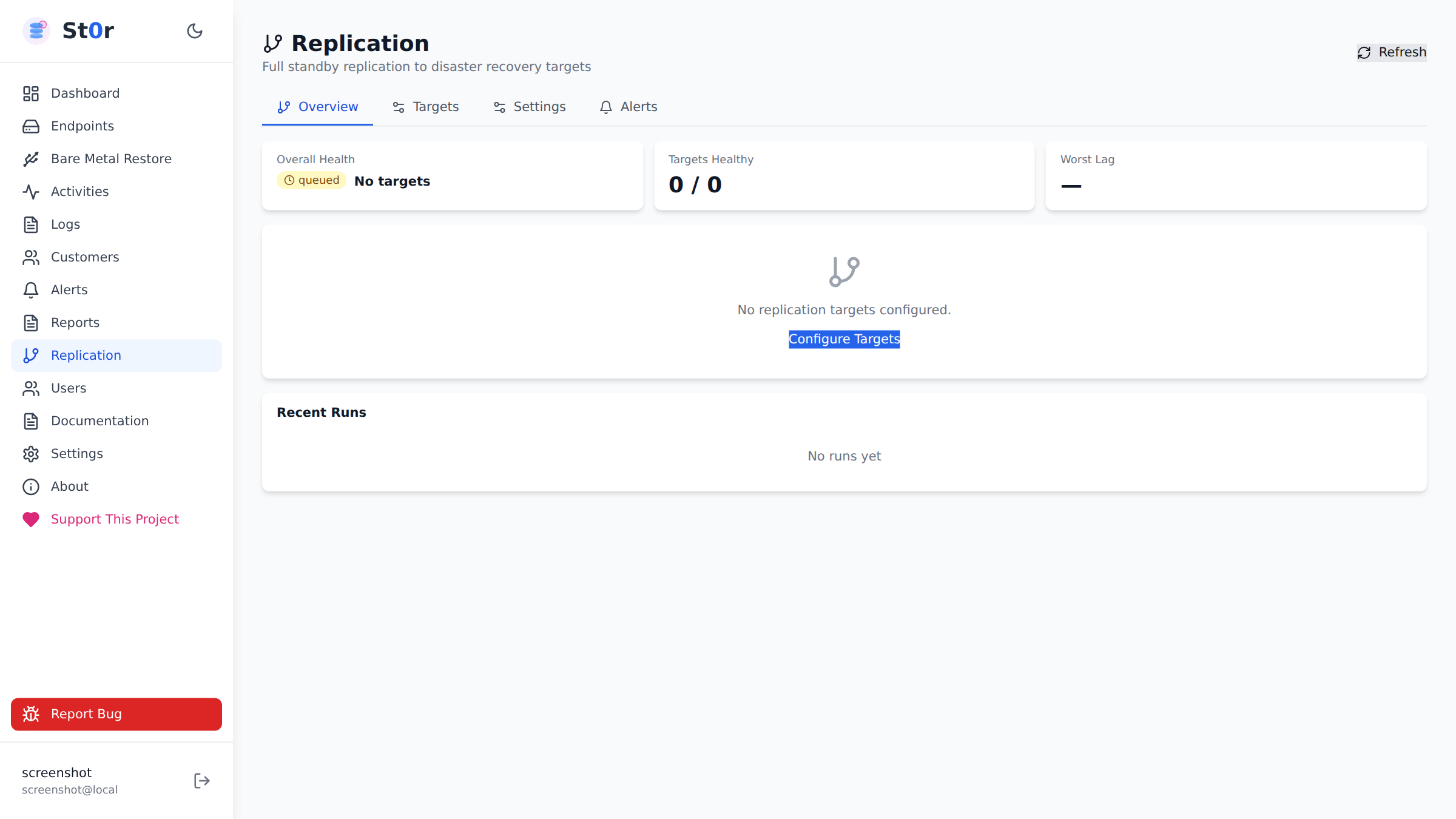
DR Replication
Multi-target standby via SSH/rsync. Scheduled and event-triggered, with email and webhook alerts.
04
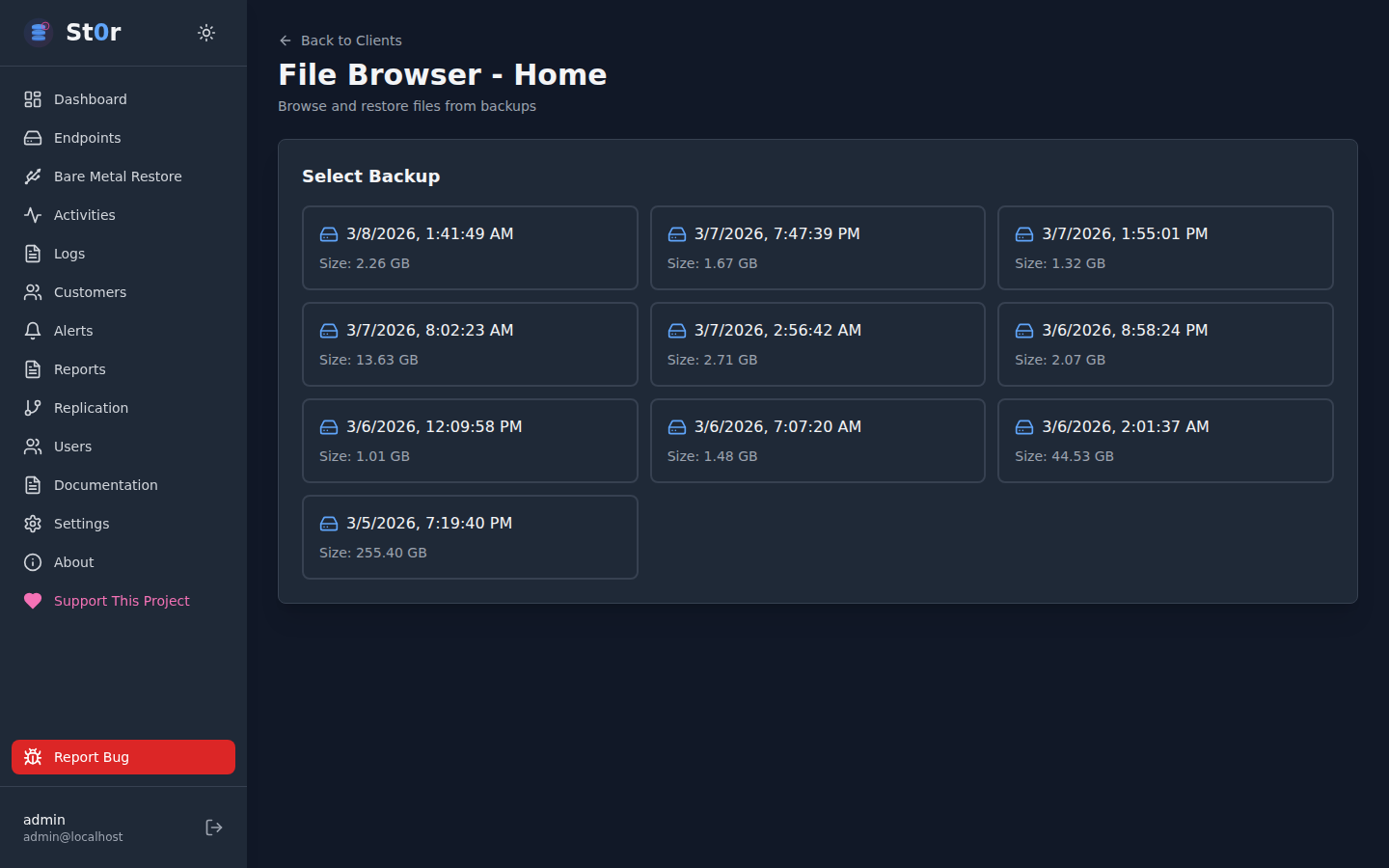
File Browser
Browse and restore individual files from any backup snapshot, directly in the browser.
Dashboard

Everything visible.
Nothing buried.

Clickable stat cards that drill into detail, active task visibility without refreshing, and storage trends across all clients — in a single responsive view that works on both desktop and tablet.

  • Clickable client health stat cards
  • Active backup task live progress
  • Storage usage trends per client
  • Replication job status at a glance
Dashboard overview
Replication management
Disaster Recovery

Multiple targets.
One control panel.

Full standby mirroring via SSH/rsync to as many DR targets as you need. Schedule replications or trigger them on backup completion. AES-256-GCM encrypted credential storage for remote destinations. Email and webhook notifications on completion or failure.

  • Multiple simultaneous DR targets
  • Scheduled and event-triggered replication
  • AES-256-GCM encrypted remote credentials
  • Email and webhook notifications
Client Management

Every endpoint.
One table.

Complete client monitoring with file and image backup status, last-seen timestamps, OS identification, and UrBackup agent version tracking. Start full or incremental backups directly, and set per-client storage caps with visual progress indicators.

  • File and image backup status per client
  • Direct start/stop backup controls
  • Per-client storage caps with progress bar
  • Windows, Linux, and macOS installer generation
Client management
File browser
File Restore

Browse any snapshot.
Restore what you need.

Navigate backup snapshots from any client, browse the full directory tree, and initiate file restores directly from the browser. No need to touch the UrBackup server directly for most restore operations.

  • Full directory tree browse per snapshot
  • File and folder restore initiation
  • Backup history with per-snapshot metrics
  • Direct access to UrBackup SQLite data
Activity Monitoring

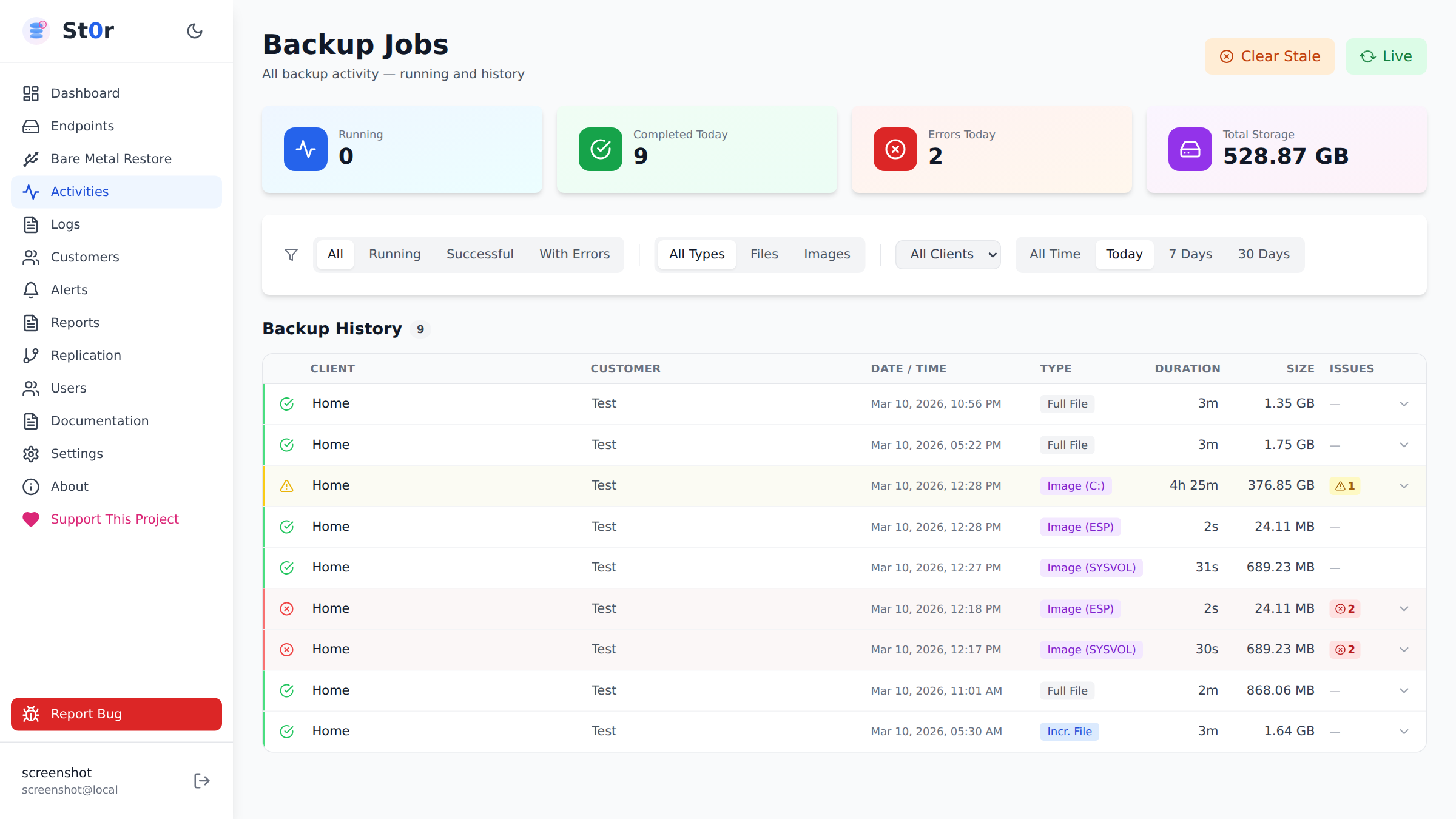
What’s running right now.
What ran last night.

Live activity feed showing all running and recently completed backup tasks across every client. Sortable history with duration, data transferred, and status. No more grepping logs to find out why a backup is slow.

  • Live activity feed across all clients
  • Duration and transfer rate per job
  • Failure reason visibility
  • Historical backup metrics
Activity monitoring
Per-Client Settings

Granular control per endpoint.

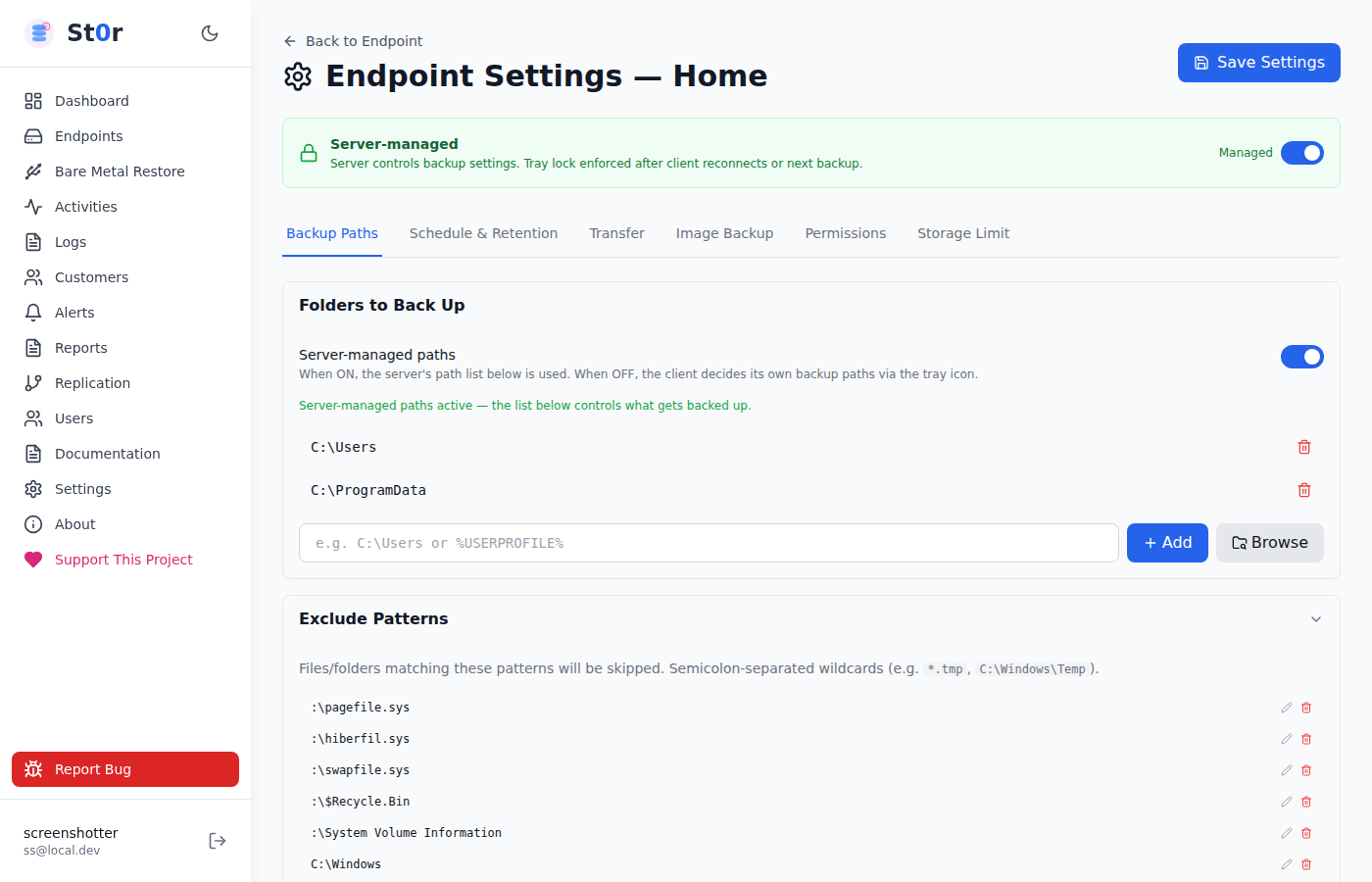
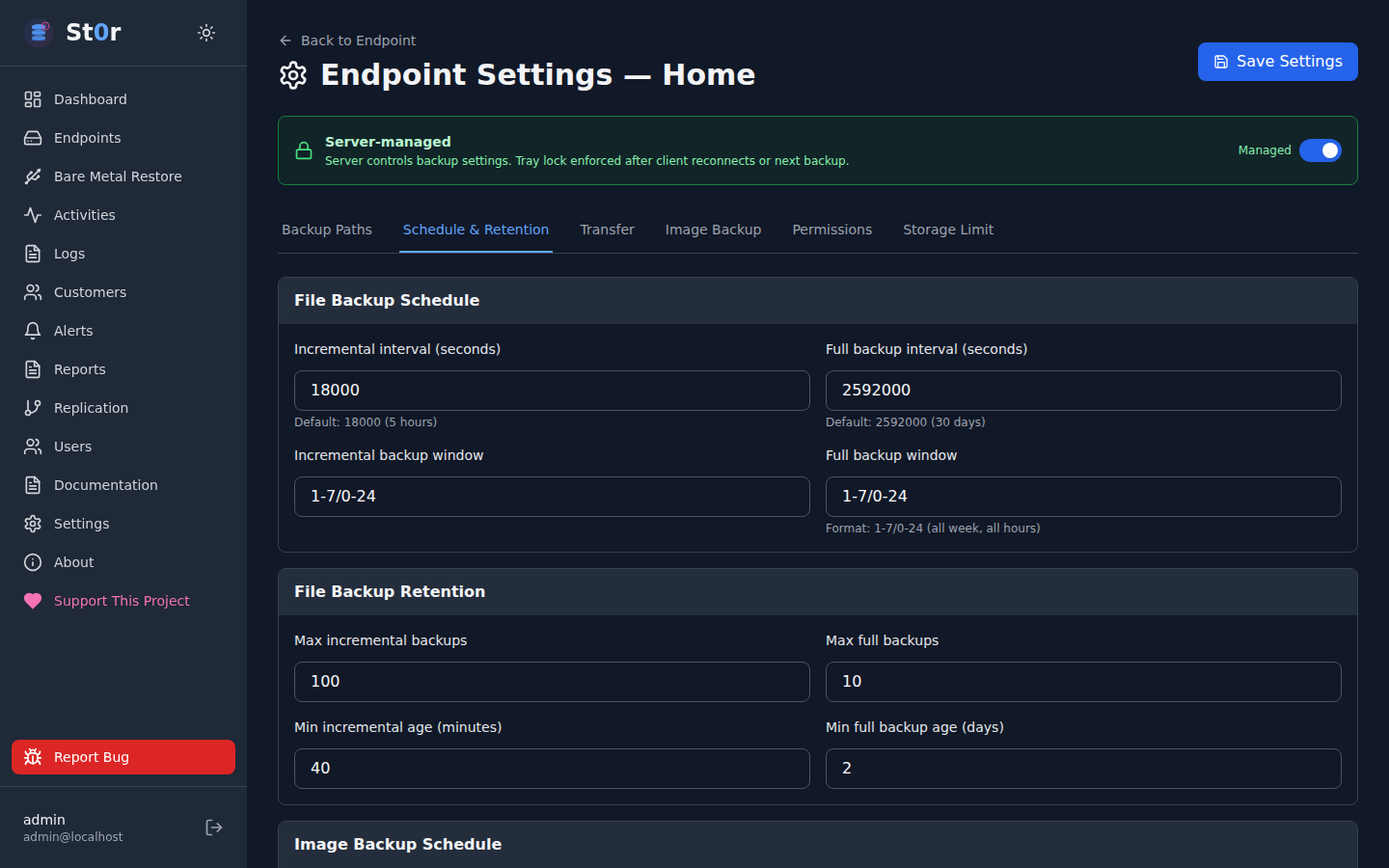
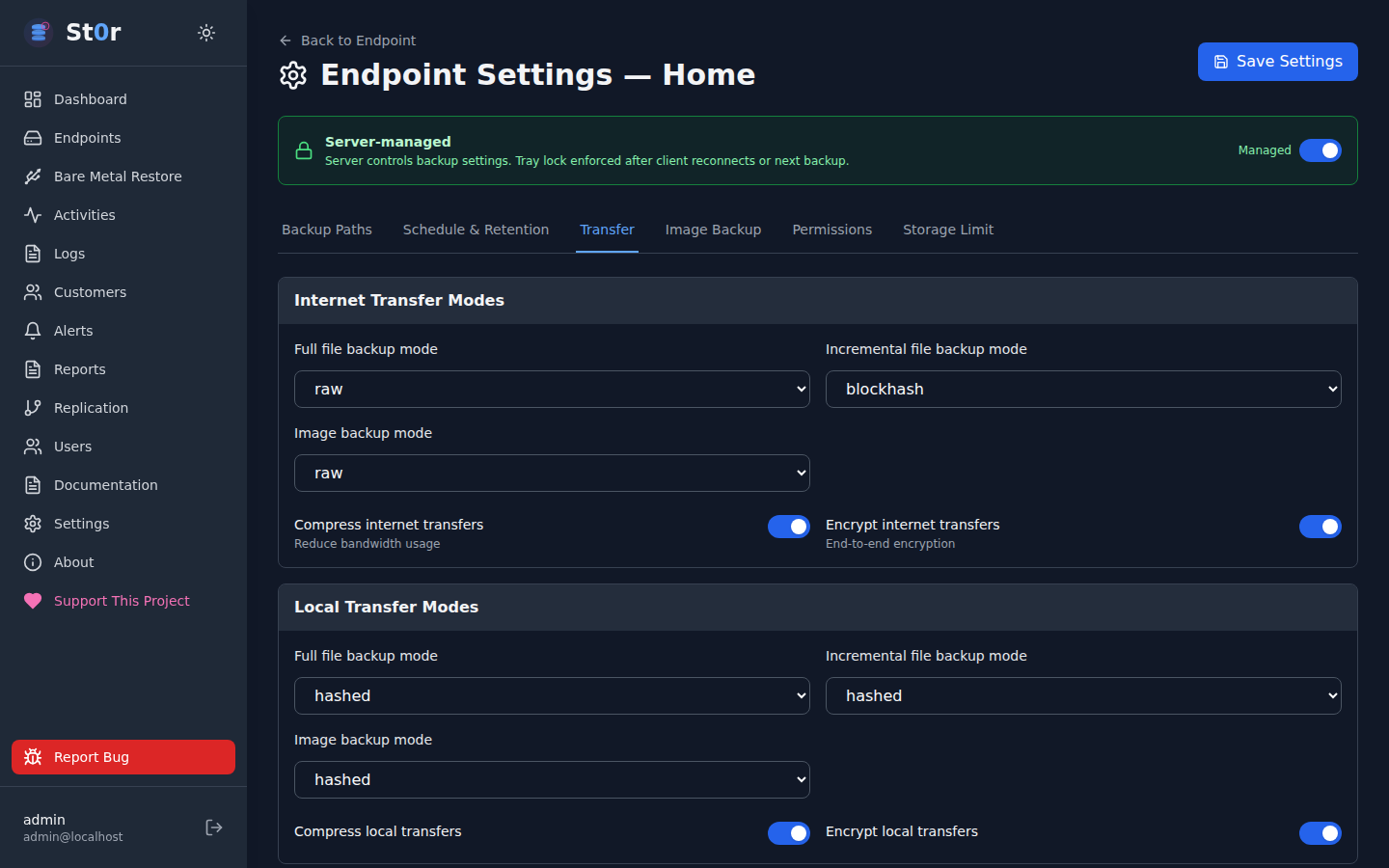
Six dedicated settings tabs per client — backup paths, schedules, retention policies, transfer throttling, image backup config, and permission management.

Backup paths Backup Paths
Schedule & Retention Schedule & Retention
Transfer throttling Transfer Settings
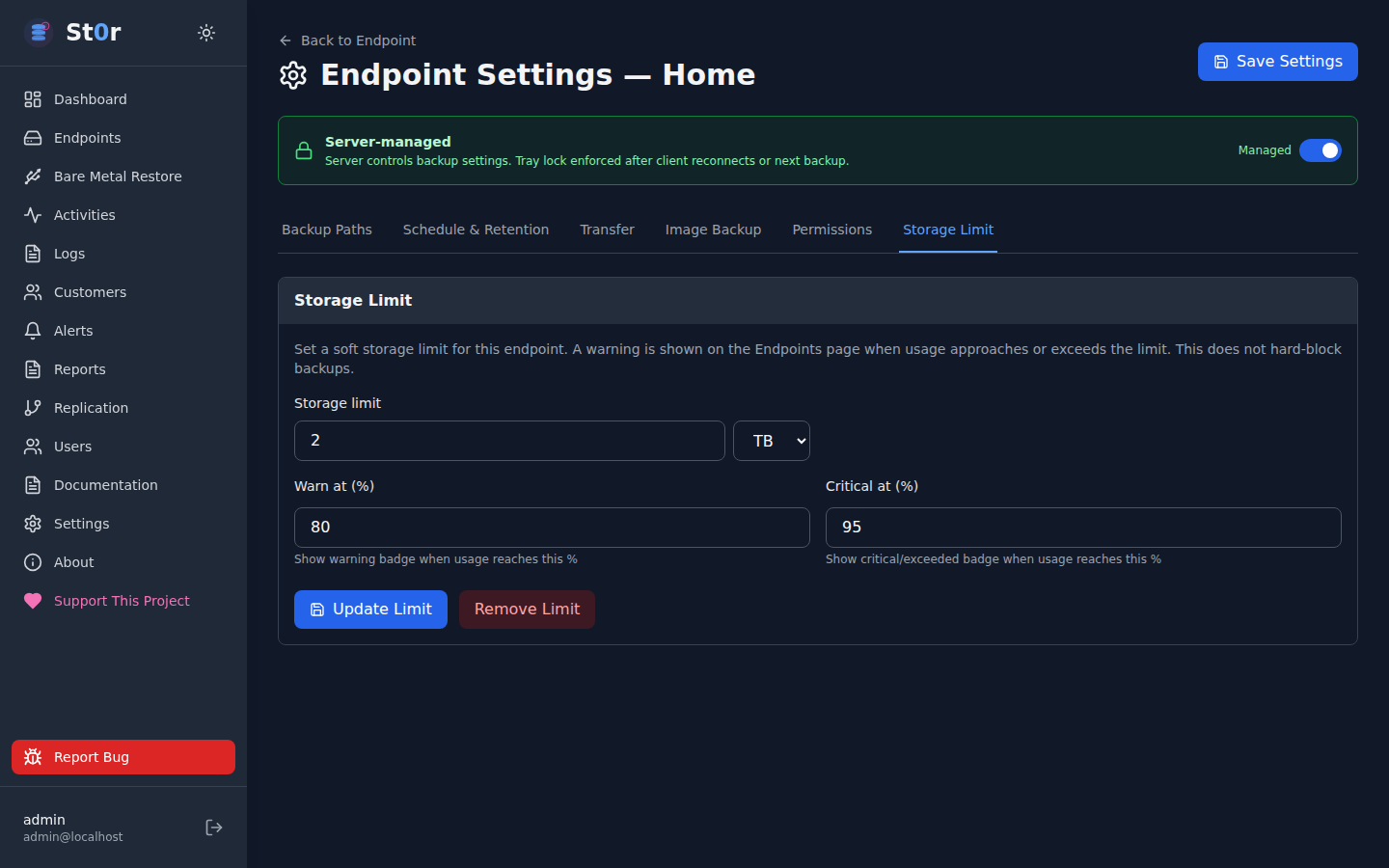
Storage limits Storage Limit
Built on
React 18 + TypeScript Node.js 20 Express MariaDB JWT + bcrypt AES-256-GCM
Security

Security built in.

Practical controls from the start — not retrofitted. Hardened defaults, access controls, CVE monitoring, logging, and recurring review are part of how we build and operate.

Security-First Design
Role-based access control, least-privilege service accounts, 2FA/MFA, and full audit logging of sensitive actions — built in, not bolted on.
CVE & Dependency Monitoring
Recurring checks against OS packages and application dependencies. Known-vulnerable components flagged and prioritized by severity and real-world exposure.
Scanning & Hardening
Internal checklists and automated scans covering exposed services, weak configurations, and insecure headers. Defaults favor security over convenience.
Access & Abuse Protection
Login rate limiting, lockout controls, failed-attempt tracking, and GeoIP-based blocking or allowlisting to reduce exposure of admin interfaces.
Logging & Monitoring
Auth events, admin changes, and failed attempts logged. Suspicious activity surfaced for operator review, with optional alerting.
Secure Deployment
HTTPS/TLS, secure headers, secrets management, restricted service exposure, and patch-aware configuration review as standard practice.
Internal security tooling

ExploitHound

We use ExploitHound — our internal security intelligence and vulnerability correlation platform — alongside other scanning tools and review processes to identify CVEs, suspicious behavior, exposed services, and potential risks before they become bigger problems.

exploithound.com →

No software platform can guarantee complete security. Our approach is to reduce risk through layered controls, recurring vulnerability checks, secure defaults, and practical operational review.

UrBackup is solid.
Now give it a real UI.

Deploys directly on your UrBackup Linux server. JWT authentication, optional TOTP 2FA, role-based access control. One-click updates with automatic rollback protection.